Your character has a phone. Of course they do. Every vampire navigating the modern nights carries one, even the elders who still resent the invention of the telegraph. It's how they coordinate with allies, track their holdings, keep tabs on mortal contacts, and stay one step ahead of the Second Inquisition.
Now your character's phone is real.
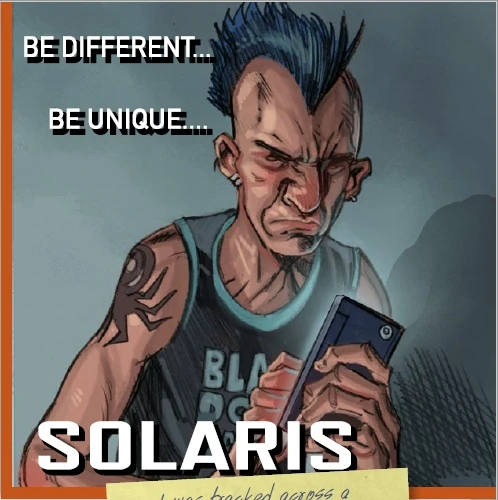
Solaris is live on citiesofdarkness.com. It's a virtual phone interface built into the Cities of Darkness chronicle tools, and it's the hub for everything your character does digitally between sessions.
What Is Solaris?
Solaris is a phone made by Sunburst Computers, running Sunburst Software. In the fiction, it's a consumer device used by mortals and vampires alike. On your screen, it's a fully interactive phone home screen where you can install apps, customize your layout, and access the Cities of Darkness tools your character actually uses.
On desktop, Solaris renders as a phone in a frame on your screen. On mobile, it goes fullscreen, so it looks and feels like an actual phone your character is holding. Open it up and you're looking at a home screen, a dock, and an app store.
The App Store
Solaris ships with the basics: Phone, SunChat, Camera, SunWeb, SunMail, Maps, Music, and the rest of the standard apps you'd expect on any smartphone. But the real value is the App Store, where you can install the Cities of Darkness tools that power your between-session experience.
Tender. The hunting app. Build a profile, swipe through potential prey, match, and message. Install it and it sits on your home screen just like it would on a real phone. Open it, and you're browsing.
FangBook. The Kindred social network. Post, react, message, and build your reputation across the entire Cities of Darkness network. Secured by Blood Sorcery, accessible only to vampires.
FangCoin. The cryptocurrency wallet. Manage your digital assets and make transfers within the Kindred economy.
Re:Venge. The bounty board. Browse and post gigs in the monster-hunting underground.
Install what your character would use. Uninstall what they wouldn't. Your phone is yours to customize.
It's a Phone, Not a Dashboard
The design philosophy behind Solaris is simple: it should feel like a phone, not like a game menu. The apps on your home screen are the apps your character uses. Opening Tender through Solaris feels like opening a dating app on your phone, because that's exactly what your character is doing.
This matters for immersion. When you're messaging a match on Tender or scrolling through FangBook between sessions, you're not navigating a website's admin panel. You're using your character's phone. It's a small shift in framing that makes between-session play feel more like living in the World of Darkness and less like managing a character sheet.
Customization
Solaris isn't one-size-fits-all. You can adjust it to fit how your character (or you) prefers to use a phone:
Grid layout. Switch between 4 or 5 columns on your home screen depending on how dense you like your icons.
Clock format. 12-hour or 24-hour display.
Font size. Small, medium, or large, depending on your screen and your eyesight.
Home screen arrangement. Rearrange your apps however you want. Pin the ones you use most. Bury the ones you don't.
Music
The Music app isn't a placeholder. It connects to a live streaming radio station and plays actual audio. Album art and track metadata update in real time. It's background music for your between-session browsing, or just something to have on while you're thinking about what your character is doing tonight.
For Storytellers
Solaris is tied to WordPress user accounts, not to individual characters, so each player has one phone regardless of how many characters they play. The apps they install and the settings they choose persist across sessions.
As new tools are added to the Cities of Darkness ecosystem, they'll appear in the Solaris App Store automatically. If you're building chronicle-specific tools or features, they can plug into the same system.
Get Started
If you're playing in the Cities of Darkness network, head to citiesofdarkness.com and look for Solaris in your Player Tools. Your phone is waiting. Install your apps, set up your home screen, and start using the tools the way your character would: on a phone, between midnight and dawn.
If you're new to the network, check out [how to find a Vampire LARP near you] or [how to make a Vampire: the Masquerade LARP character] to get started. Once you have a character, your phone is ready.
Cities of Darkness is a fan-run chronicle network using Laws of the Night V5 by By Night Studios.
Cities of Darkness material is not official World of Darkness material. Portions of the materials are the copyrights and trademarks of Paradox Interactive AB, and are used with permission. All rights reserved. For more information please visit worldofdarkness.com.